Wedding Ceremony Program

Make a printable wedding ceremony program with your order of service, wedding party and a Bible verse: folded, flat or fan.

Details

Two names and the date. Add a photo for your blessings page. The scannable code is created with your page.

Photo optional
Wedding date required
—
Jan
Feb
Mar
Apr
May
Jun
Jul
Aug
Sep
Oct
Nov
Dec
—
1966
1967
1968
1969
1970
1971
1972
1973
1974
1975
1976
1977
1978
1979
1980
1981
1982
1983
1984
1985
1986
1987
1988
1989
1990
1991
1992
1993
1994
1995
1996
1997
1998
1999
2000
2001
2002
2003
2004
2005
2006
2007
2008
2009
2010
2011
2012
2013
2014
2015
2016
2017
2018
2019
2020
2021
2022
2023
2024
2025
2026
2027
2028
2029
2030
2031

To continue: enter the first name, enter the second name, choose the wedding date.

About wedding ceremony programs

A wedding ceremony program is the printed guide guests hold while the ceremony happens: the order of service, the people standing with you and the words you chose. The tool above makes a printable wedding ceremony program with a Bible verse and a QR code for guest blessings, in folded, flat and fan formats. You pay once and download every format right away.

What goes in a wedding ceremony program

The cover carries your names, the date, the time and the venue. Inside is the order of service: the prelude and processional, the readings with who reads them, the vows, the rings and the recessional. Next comes the wedding party: the officiant, maid of honor and best man, bridesmaids and groomsmen side by side, the flower girl and ring bearer, and both sets of parents. The back is for a thank-you to your guests, a line in memory of loved ones and the code for the blessings page. If you are still choosing a reading, start with our Bible verses for a wedding.

Sizes, paper and formats

The folded program is a letter sheet folded to 5.5 × 8.5 inches with four panels; the flat program is a single 5.5 × 8.5 inch card printed on both sides; the fan is 5 × 7 inches. A 100–110 lb cardstock (about 270–300 gsm) in matte or linen finish holds up well in hand. You also get a matching 4 × 6 inch table card for the reception.

Wedding program examples

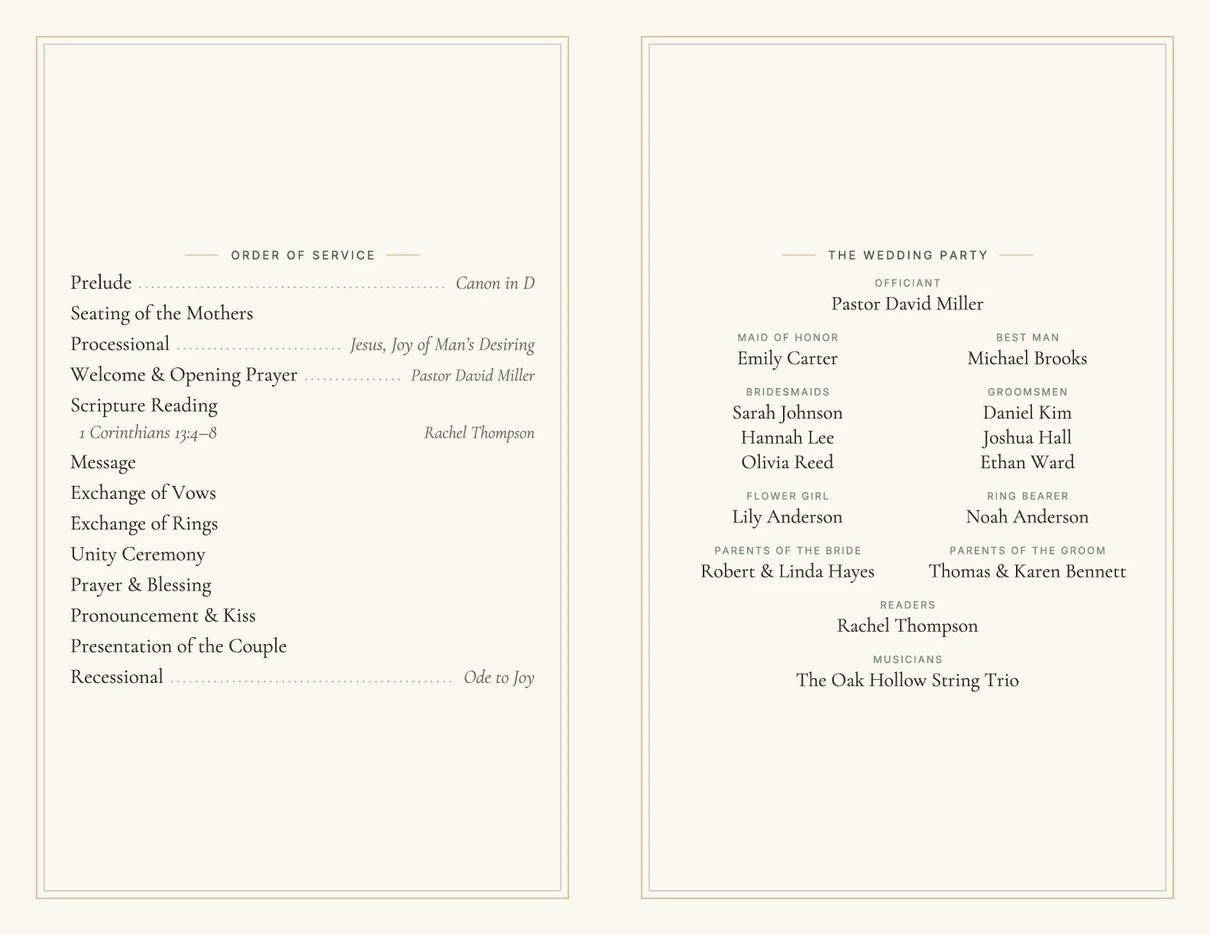
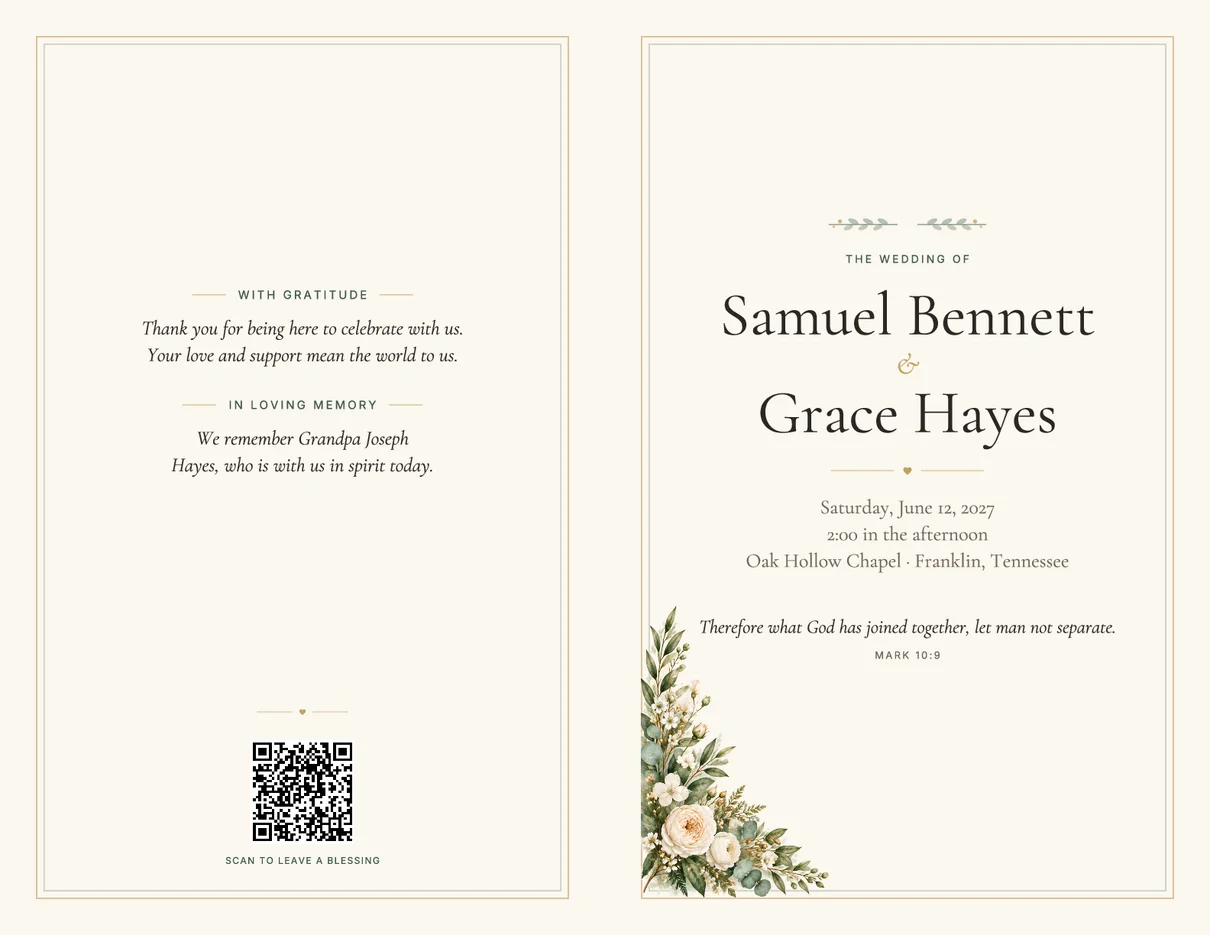
These are real files from the tool, printed from the same layout you see while you edit. The folded program puts the cover and the thank-you on the outside, and the order of service and wedding party on the inside spread. Long lists shrink together to fit, and if something still does not fit, the editor tells you which panel is over and how to fix it. Nothing is cut off without warning.

Wedding ceremony program example: order of service on the left panel and the wedding party on the right
Inside · Order of service & wedding party
Folded wedding program example: couple’s names, date, venue and a Bible verse on the cover, thank-you note and QR code on the back
Outside · Back & front cover

Wedding program fans

Program fans keep guests cool at summer and outdoor ceremonies while they follow along. The fan made here is 5 × 7 inches with rounded corners: your names, date and verse on the front, and the order of service on the back with the lower center left clear for the stick. Print both sides on heavy cardstock, cut along the outline and glue on a wooden fan stick. When the wedding party does not fit on a fan, the folded program carries it.

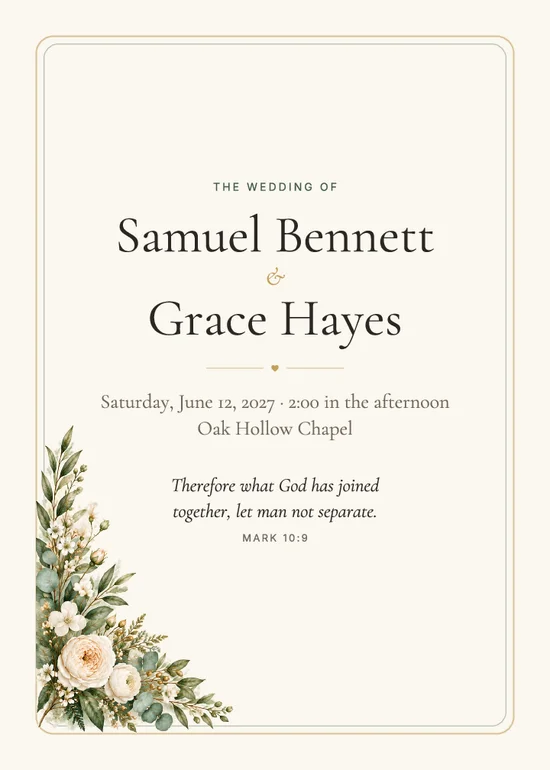
Wedding program fan front with the couple’s names, date and verse
Fan · Front
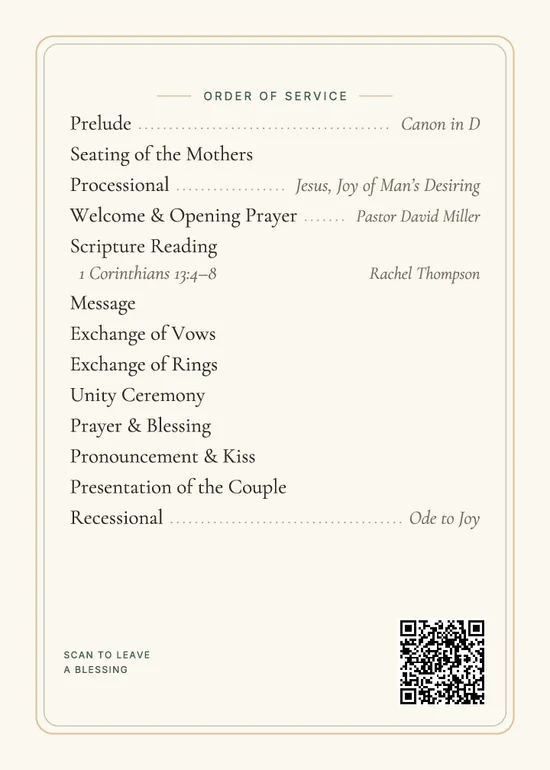
Wedding program fan back with the order of service and a QR code
Fan · Back

How to print wedding programs at home or at a print shop

Each format comes as two PDFs. The print-shop file is cut to size with a 1/8-inch bleed, so there is no white edge after trimming; ask for 100–110 lb cardstock and about 10 percent more copies than your guest count. The home file is laid out on letter paper: print at 100 percent (Actual size, not Fit to page), both sides, choosing “flip on short edge”. Fold the folded program in half, cut flat programs down the middle, and cut fans along the rounded outline with a trimmer or sharp scissors.

Ceremony program vs. invitation vs. table card

A wedding invitation is mailed weeks ahead and asks guests to come. A wedding ceremony program is handed out on the day and explains what is happening during the ceremony and who is part of it. A table card sits at the reception and greets guests at their seats. The code on your program and table card opens the same blessings page, so guests who cannot attend can read your verse and leave a blessing too. For verses about the years after the wedding, see Bible verses about marriage.
Frequently asked questions

What goes in a wedding ceremony program?

A wedding ceremony program lists the couple’s names, the date and venue, the order of service (processional, readings, vows, rings, recessional), the wedding party and officiant, and often a Bible verse, a thank-you note and a line in memory of loved ones.

What is the order of a Christian wedding ceremony?

A common order is prelude, seating of the mothers, processional, welcome and opening prayer, Scripture reading, message, exchange of vows, exchange of rings, a unity ceremony, prayer and blessing, pronouncement and kiss, presentation of the couple and recessional. Every line here can be renamed, moved or removed.

What size is a wedding ceremony program?

The most common size is 5.5 × 8.5 inches, either a single flat card or a letter sheet folded in half. Program fans are often 5 × 7 inches. The programs made here come in all three: folded, flat and fan.

Can I print wedding programs at home?

Yes. Each format comes as a home-printing PDF on letter paper and a print-shop PDF with 1/8-inch bleed. At home, print at 100% on cardstock, both sides, flipping on the short edge.

How do I make wedding program fans?

Download the fan PDF, print both sides on heavy cardstock, cut along the rounded outline and glue a wooden stick to the lower half of the back. The back keeps its lower center clear for the stick.

What does the QR code on the program do?

It opens your wedding blessings page, where guests can read your verse and leave a short blessing for you from their phone. No app or account is needed to scan it.